Showing posts with label download-youtube-downloader. Show all posts

Orbit Downloader v2.7.1 Released

Orbit Downloader v2.7.1 Released.
Orbit Downloader v2.7 release Grab Pro to support video download from sites which use anti-leeching technology like YouTube. Using Grab Pro, the special YouTube downloader for Internet Explore, you will never miss any YouTube video from now on. It is born for YouTube.

Download YouTube Downloader


Using new Orbit Downloader to download social video and music. Make YouTube for example:
With 2 simple step, Orbit Downloader's Grab Pro can download YouTube completed. And using the same way, Grab Pro can download imeem™, download Dailymotion, download Pandora and download all social video and music easily.
Download YouTube step 1: Play YouTube. Grab Pro will start to grab the YouTube automatically:


Download YouTube step 2: Click yellow area to call out the item list. Click "Download it" to download the grabbed YouTube:


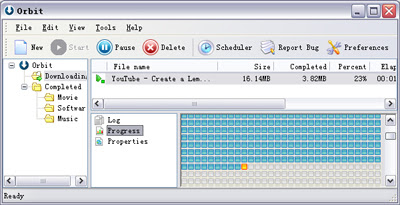
Download YouTube:


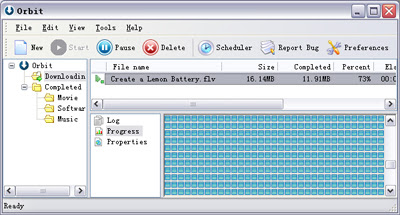
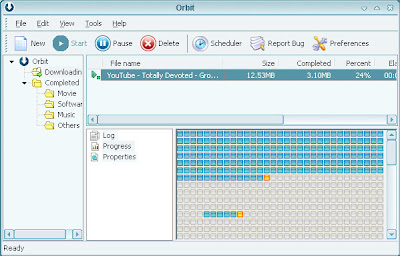
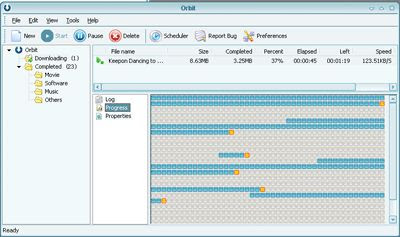
Download YouTube completed:

How to Download Youtube Video in Opera

How to Download Youtube Video in Opera?

I have posted a tutorial about How to Download Youtube Video in IE and other tutorial about How to Download Youtube Video in Firefox. But if you like Opera, how can you use Orbit Downloader as Youtube Video Downloader in Opera? You can follow this way bellow:

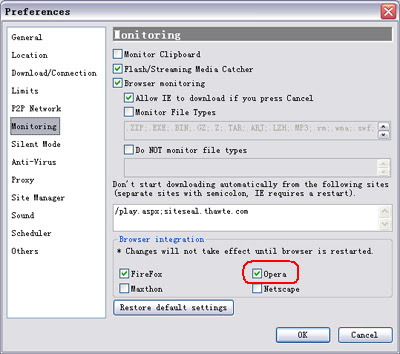
1. Check whether the Orbit Downloader is monitoring the Opera at Preferences-->Monitoring:
( If it is unckeck, please exit Opera then check the Opera item)


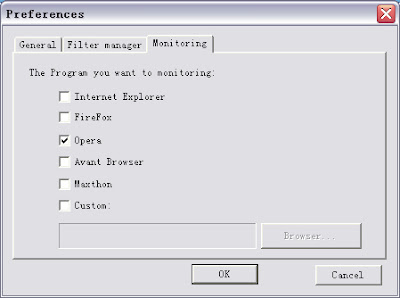
2. Check whether the Orbit Downloader Grab++ is monitoring the Opera at Grab++-->Actions-->Preferences-->Monitoring:


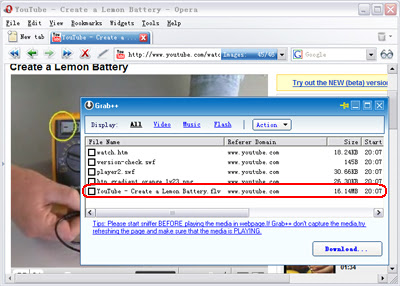
3. Run the Orbit Downloader Grab++ ( Tools-->Grab++) first, then visit a Youtube video. I also make ' Create a Lemon Battery' for example. When the video is playing, you can see that the video is grabbed by the Grab++:


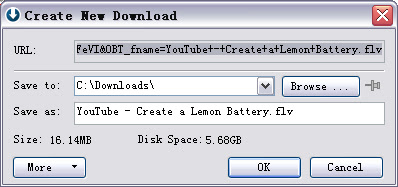
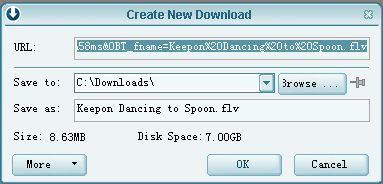
4. Check the grabbed Youtube video, then click 'Download' button, the 'Create New Download' dialog will pop up:


5. Click the OK button , you will download the Youtube video :)


Tips:
1. In Opera, if you want to download Youtube video, you should run Grab++ manually ( Orbit Downloader Tools menu-->Grab++).
2. If you play the video first then run Grab++, you should reload the page to allow the Grab++ grab the video.
3. You can use this way to download any video and music in any web browser including IE and Firefox.
4. The YouTube videos are in FLV format. And lots of FLV players are in software download sites. Or you can download one of them at here.
5. Some of the YouTube videos can not be resumed because file-resume is forbidden in some YouTube servers. If the connection is break when downloading, you could redownload it by clicking the download item's context menu 'Restart download'.

Relate Link:
1. How to download Youtube video in IE?
2. How to download Youtube video in Firefox?

How to Download Youtube Video in Firefox

How to Download Youtube Video in Firefox?

There are lots of people ask me how to download Youtube video in Firefox ( Use Orbit Downloader as Youtube downloader in Firefox). Here is a step by step tutorial below:
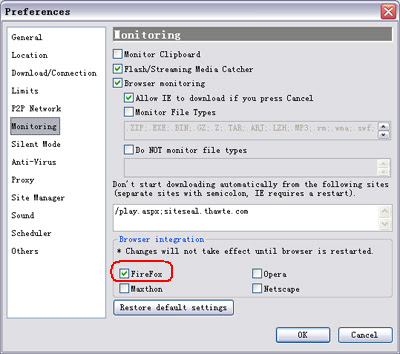
1. Check whether your Firefox is monitoring at Preferences-->Monitoring:
( If it is uncheck, please exit Firefox then check the item. )


2. Open a Youtube video. I make ' Create a Lemon Battery' for example. You can see a small-gray Orbit Downloader icon on the top of the video:


3. Click the icon, Orbit Downloader will fetch the video for you:


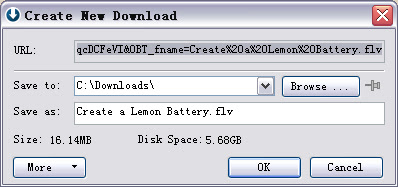
4. After fetch the video URL - about 2 second or more quickly, the ' Create New Download' dialog will pop up:


5. Click the OK button , you will download the Youtube video :)


Using this way above, you can download flv video from Youtube, Google, Myspace, Metacafe and Dailymotion in Firefox.

Tips:
1. The 'GetIt' button is changed to a small-gray icon in Firefox. Just click it!
2. The YouTube videos are in FLV format. And lots of FLV players are in software download sites. Or you can download one of them at here.
3. Some of the YouTube videos can not be resumed because file-resume is forbidden in some YouTube servers. If the connection is break when downloading, you could redownload it by clicking the download item's context menu 'Restart download'.

Relate Link:
1. How to download Youtube video in IE?
2. How to download Youtube video in Opera?

How to download Youtube Video in other browsers manually except IE and FireFox?

How to download Youtube Video Manually?
How to download Youtube Video in other browsers except IE and FireFox?


"If I Use Opera or other browser, how could I download video from Youtube or other website?"
More and more people ask me this question. And there is a manual way to help you download video from Youtube or other website easily:

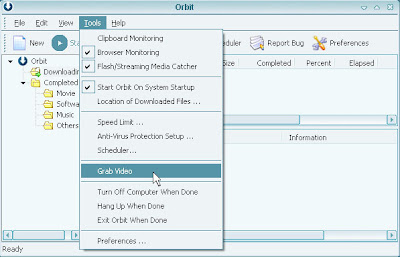
(1) Run the "Grab Video" by clicking "Grab Video" item from the "Tools" menu:


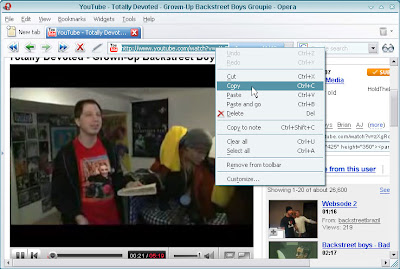
(2) Copy the referrer from your browser's address bar, make http://www.youtube.com/watch?v=zXgRqPwbJkg for example:


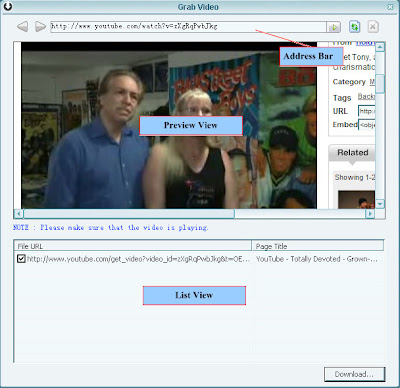
Then paste the referrer to the "Grab Video" 's address bar and press "Enter". You could see the video is playing in the Preview View, and then the video URL is in the list view.:


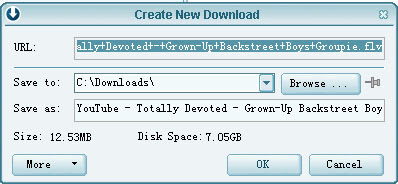
(3)Click "Download...", the video will be downloaded :)


Using this way, you could download any video from youtube,Dailymotion,metacafe,ifilm...

How to download embedded youtube video?


Download YouTube Video-As Youtube Downloader

How to download embedded youtube video?

How to download embedded youtube video?
How to use Orbit Downloader v1.5.3 as an embedded youtube video downloader?


Orbit Downloader is a free YouTube Video downloader could help you to download videos from YouTube easily with great speed. Also it can download the Embedded YouTube Video from any webpages.

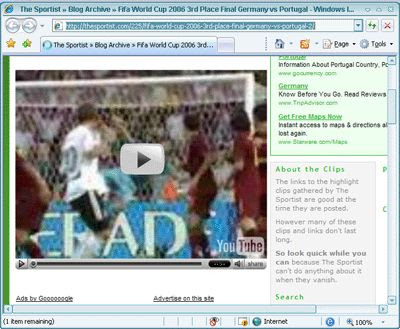
1. Using http://thesportist.com/225/fifa-world-cup-2006-3rd-place-final-germany-vs-portugal-2/ for example, you could see an embedded Youtube video in that webpage:


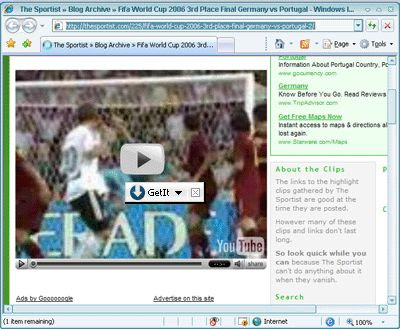
2. Hover your mouse on the Embedded YouTube Video, you will see a small button appeared near your mouse, like this:


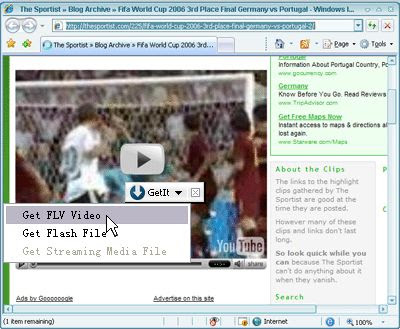
3. Click the "Get it" button, then click the "Get FLV Video" item to download the Video:


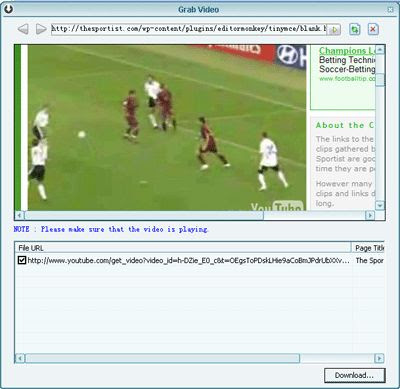
4. Then Orbit Downloader will run Orbit "Grab Video" to grab the FLV file(Embedded YouTube Video)'s URL. Please click the "play" button to make sure that the video is playing. Then the Embedded YouTube Video's URL will be listed in the list-box. And the Flash Video file (*.flv) item will be checked by default.


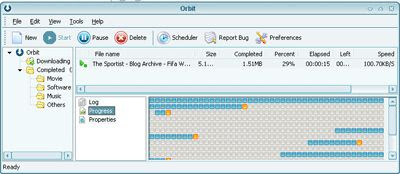
5. Click the "Download..." button, the checked file will be downloaded by Orbit Downloader:


Download YouTube Video-As Youtube Downloader

How to download Youtube Video?


How to use Orbit Downloader as a Youtube Downloader?


Orbit Downloader can be use as a free YouTube downloader which could help you to download videos from YouTube easily with great speed. Also it can download the embedded YouTube Video from any webpages. Also Orbit Donwloader can download and manage videos and clips from almost all of video sharing websites like Dailymotion, Metacafe, Google, Myspace, iFilm...

Here is a step by step tutorial for how to download Youtube Video from YouTube using Orbit Downloader:

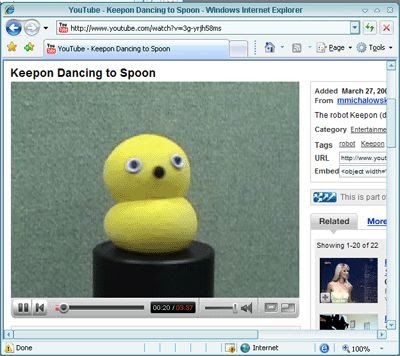
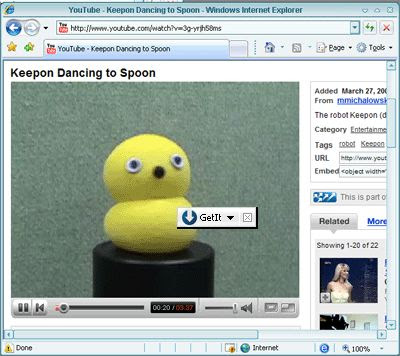
1. Browse a YouTube in IE, using http://www.youtube.com/watch?v=3g-yrjh58ms for example:

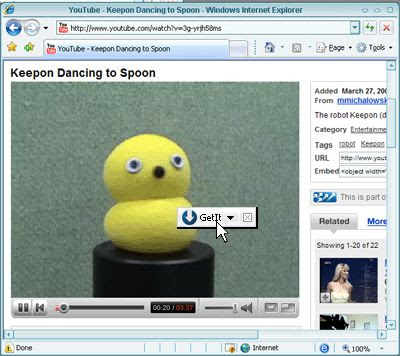
2. Hover your mouse on the YouTube Video, you will see a small button appeared near your mouse, like this:

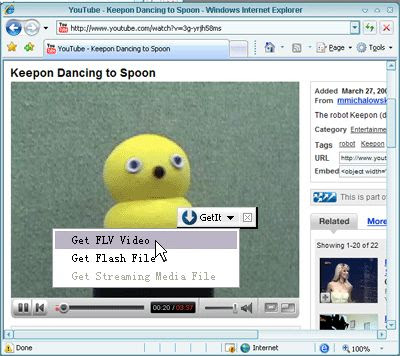
3.Click the button, then click the "Get FLV Video" item to download the YouTube Video:


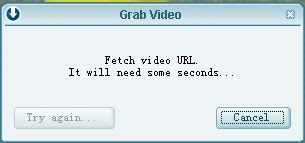
4.Then Orbit Downloader will pop up a dialog to fetch the YouTube Video URL. It will need about 2 seconds.

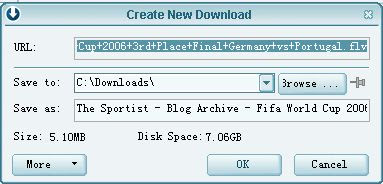
5.Soon, the "Create new download" dialog pop up. Click "OK",then the YouTube Video is being downloaded.