Use Orbit Downloader as Metalink Downloader

Use Orbit Downloader as Metalink Downloader

How to download files via Metalink using Orbit Downloader?

Metalink is an Open Standard that bundles the various ways (FTP/HTTP/P2P) to get files into one format for easier download. More and More software developers provide metalink files to download their client.

Orbit Downloader support metalink download. Using Orbit Downloader you can download files via Metalink more easily and quickly.

For example, OpenOffice.org provides a metalink file to download OpenOffice. Just click the metalink download link :
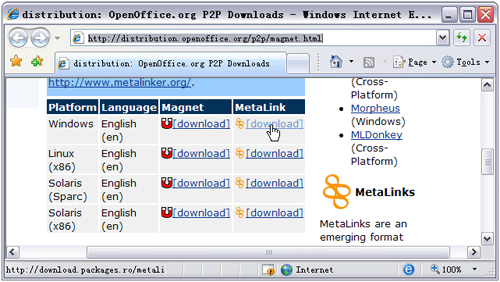


Then Orbit Downloader will catch the metalink file download URL automatically. Click “OK” to download the metalink file to your drive:
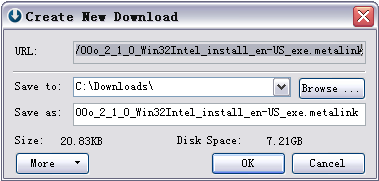


You can see the metalink file is downloaded very quickly.


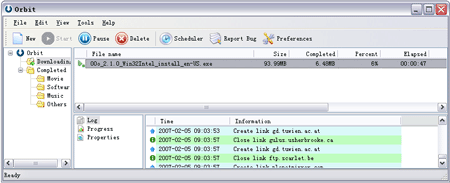
And after download the metalink file completed, Orbit Download will download the final software automatically:


Download all in FireFox using Orbit Downloader

Download All in FireFox Using Orbit Downloader


How to Download Files, Youtube Videos, Flash Games and Cartoon in FireFox?


(1) How to Install Orbit Downloader’s FireFox Add-on

(2) How to Download Files in FireFox

(3) How to Download Youtube Videos in FireFox

(4) How to Download Flash in FireFox


(1)Install Orbit downloader’s FireFox add-on:

When install Orbit downloader, make sure the FireFox integration option be checked. (Please exit FireFox before install Orbit Downloader)


If you did not check the option, you can integrate FireFox in Orbit Downloader’s menu Tools->Preference->Monitoring panel.

(2) Download files in FireFox:
Just left click the download URL in FireFox., then Orbit Downloader will pop-up a “Create New Download” dialog. Click the “OK” button. Then Orbit Downloader will download the file for you.


(3)Download Youtube video in FireFox:
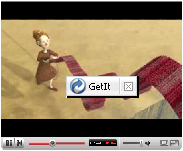
When you open a Youtube video page in FireFox, you will find a small Orbit Download’s icon on the top of the video.


Please click the icon., Orbit Downloader will download the Youttube video for you soon!

(4)Download Flash in FireFox:

You can download Flash files, like flash games, from FireFox using Orbit Downloader.
Orbit Downloader can display an Orbit Downloader’s Icon on the top of the Flash files on the webpage.


You can download the flash by clicking the Orbit Downloader’s Icon.


Additionally, you can download Streaming Media from web pages in FireFox using the same way.

Download from Rapidshare using Orbit Downloader - step by step tutorial

Orbit Downloader support HTTP POST protocol. So it can work well in Rapidshare.com.
You can use Orbit Downloader to download files from Rapidshare.com by the following way:

First of all, you should install Orbit Downloader. You can download it from its homepage: http://www.orbitdownloader.com

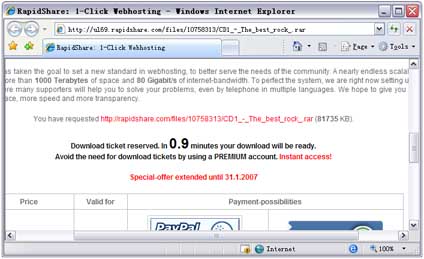
Open a Rapidshare file’s link by IE. For example, I find a link: http://ul69.rapidshare.com/files/10758313/CD1_-_The_best_rock_.rar and open the link by IE. Then scroll down the web page to the end, click the free button (if you have a premium count, you should click the premium button). (Img01)


(Img01)
Then, you should wait some seconds (Img02).


(Img02)
After the download is ready, you could enter the CAPTCHA then click the download button (Img03).


(Img03)
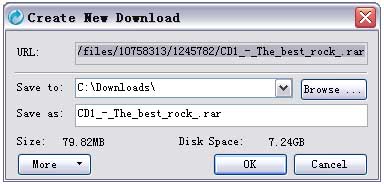
Orbit downloader will capture the download URL automatically (Img04).


(Img04)
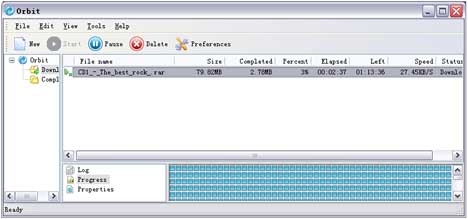
Click the OK button, the file will be downloaded to our own driver (Img05).


(Img05)

Use Orbit Downloader as RapidShare downloader - How to Download Files From Rapidshare, Megaupload,Yousendit and Sendspace?

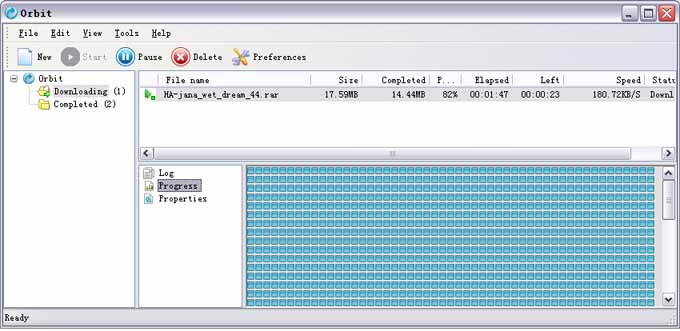
Orbit downloader support HTTP POST method. So Orbit downloader can download files from Rapidshare.com or Rapidshare.de. Additionally, Orbit downloader can make your download faster, safer and more stable than IE. There is a Comparison in Orbit downloader and IE below:

Orbit downloader:


IE:


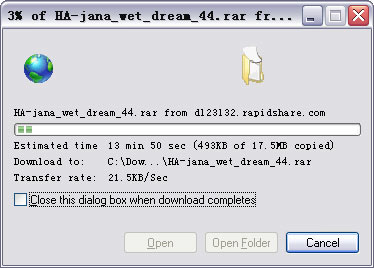
As you see, using Orbit downloader, I get more than 150KB/S when download. But the download speed is only 21KB/S when I use IE.

Use Orbit Downloader as Flash Games Downloader - How to Download Flash Games and Flash Cartoon From Miniclips?

(1)Hover your mouse on the flash game. There will be a button appeared near your mouse:


(2) Click the button:


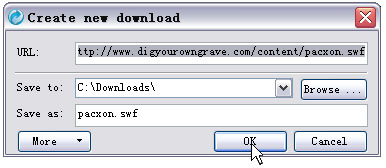
The "Create new download" dialog is poped up, then click"ok", the flash game will be downloaded to your drives:

Use Orbit Downloader as Youtube Downloader - How to Download Video From YouTube, Google, MySpace, MetaCafe and DailyMotion?

(1) Hover your mouse on the video, you will see a small button appeared near your mouse, like this:


(2) Click the button:


Then Orbit Downloader will pop up a dialog to fetch the video url. It will need about 2 seconds.


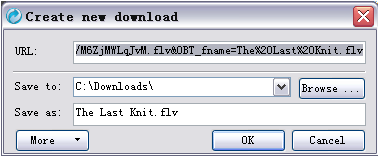
Soon, the "Create new download" dialog pop up. Click "OK",then the video is being downloaded.

Orbit downlaoder is one of Top 10 Best Software of 2006

Orbit downlaoder is one of Top 10 Best Software of 2006
This week, Orbit has been considered one of the best softwares in the current year. The best software are rewarded with a hotsite containing the winners. Check out it here: http://baixaki.ig.com.br/especiais/melhores-downloads-de-2006.htm .